2.1 Quick R6 Intro for Beginners
R6 is one of R’s more recent dialects for object-oriented programming (OO). It addresses shortcomings of earlier OO implementations in R, such as S3, which we used in mlr. If you have done any object-oriented programming before, R6 should feel familiar. We focus on the parts of R6 that you need to know to use mlr3 here.
- Objects are created by calling the constructor of an
R6Class()object, specifically the$new()method. For example,foo = Foo$new(bar = 1)creates a new object of classFoo, setting thebarargument of the constructor to1. - Classes have mutable state, which is encapsulated in their fields, which can be accessed through the dollar operator.
We can access the
barvalue in theFooclass throughfoo$barand set its value by assigning the field, e.g.foo$bar = 2. - In addition to fields, objects expose methods that may allow to inspect the object’s state, retrieve information, or perform an action that may change the internal state of the object.
For example, the
$trainmethod of a learner changes the internal state of the learner by building and storing a trained model, which can then be used to make predictions given data. - Objects can have public and private fields and methods. In mlr3, you can only access the public variables and methods. Private fields and methods are only relevant to change or extend mlr3.
- R6 variables are references to objects rather then the actual objects, which are stored in an environment.
For example
foo2 = foodoes not create a copy offooinfoo2, but another reference to the same actual object. Settingfoo$bar = 3will also changefoo2$barto3and vice versa. - To copy an object, use the
$clone()method and thedeep = TRUEargument for nested objects, for examplefoo2 = foo$clone(deep = TRUE).
Here is an overview of the extension packages of mlr:
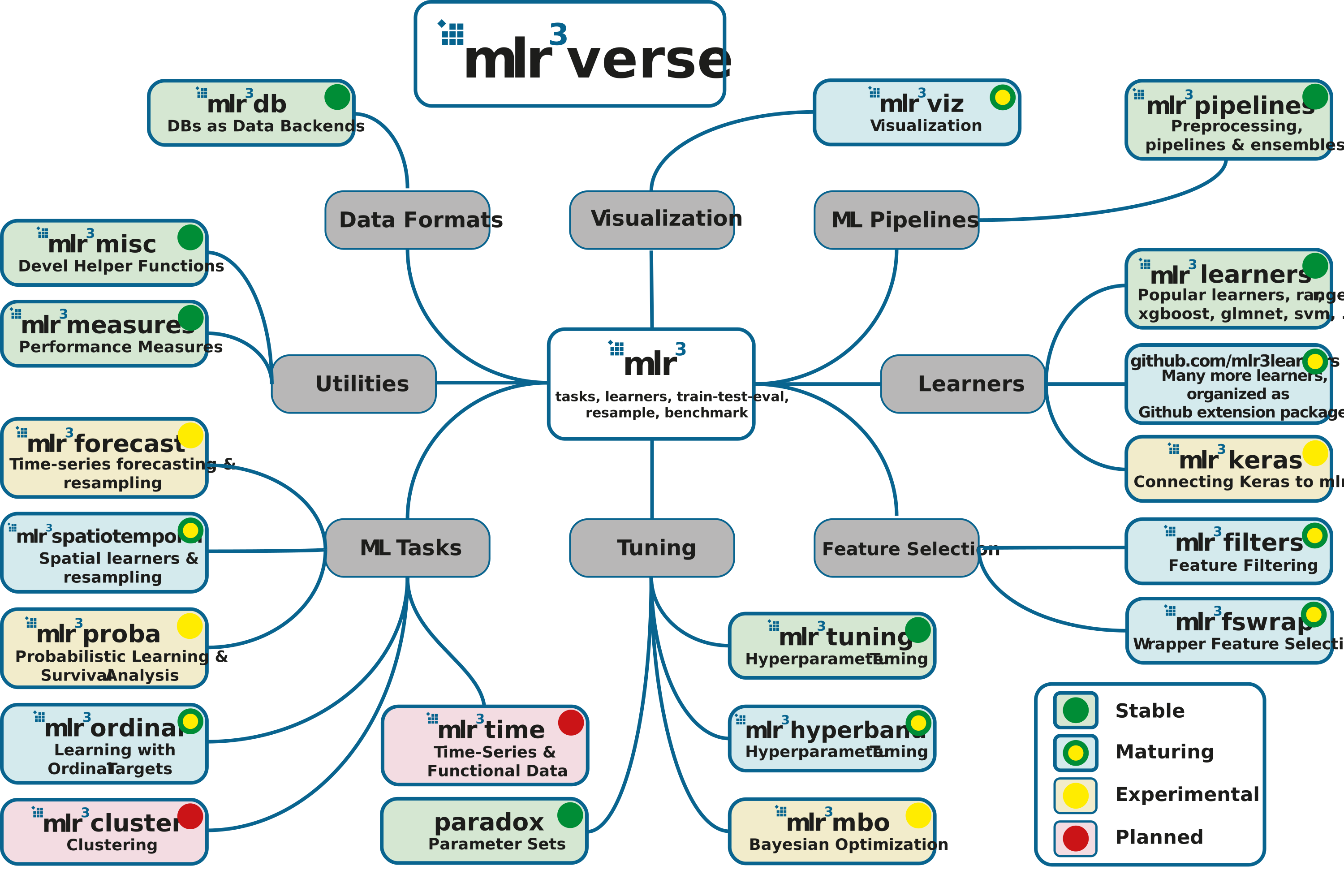
For further information see wiki for short descriptions and links to the respective repositories.
For more details on R6, have a look at the R6 vignettes.